Analytics & Scan Tracking
Every QRelix QR code counts scans from the moment it's created. The full analytics dashboard is included on every plan, free and Pro, with no extra setup, no third-party integrations, and no code snippets on your landing page. Open your dashboard and the data is there.
What's Tracked
The dashboard captures the following on every scan:
| Metric | Details |
|---|---|
| Total scans | Cumulative count across all devices and locations |
| Unique visitors | Distinct users vs. repeat scans based on anonymized fingerprinting |
| Location | City, region, and country derived from the scanner's IP |
| Device type | Mobile, tablet, or desktop |
| Operating system | iOS, Android, Windows, macOS, Linux |
| Browser | Safari, Chrome, Firefox, Samsung Internet, in-app browsers |
| Time of scan | Exact date and time with second-level precision |
QRelix does not store personally identifiable information. All analytics data is aggregated and anonymized. No cookies are placed on the scanner's device.
Viewing Analytics
The full analytics dashboard is included on every plan, free and Pro.
- Open your QRelix dashboard.
- Select a QR code from your list.
- Click the Analytics tab.
Data updates in real time. There's no delay between a scan happening and it appearing in your dashboard.
Dashboard Overview
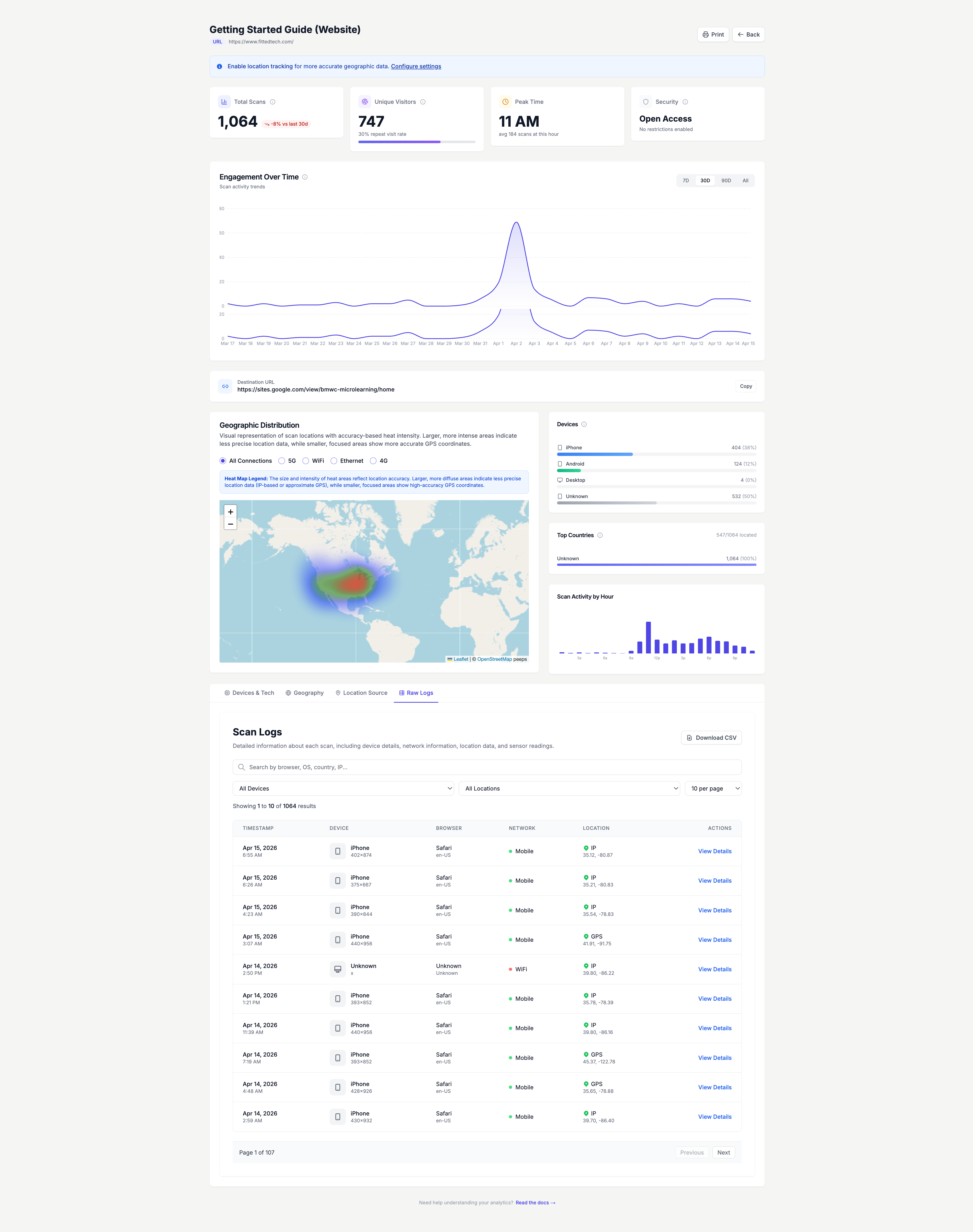
The analytics view gives you a summary panel at the top showing total scans, unique scans, and the most recent scan timestamp. Below that, you'll find:
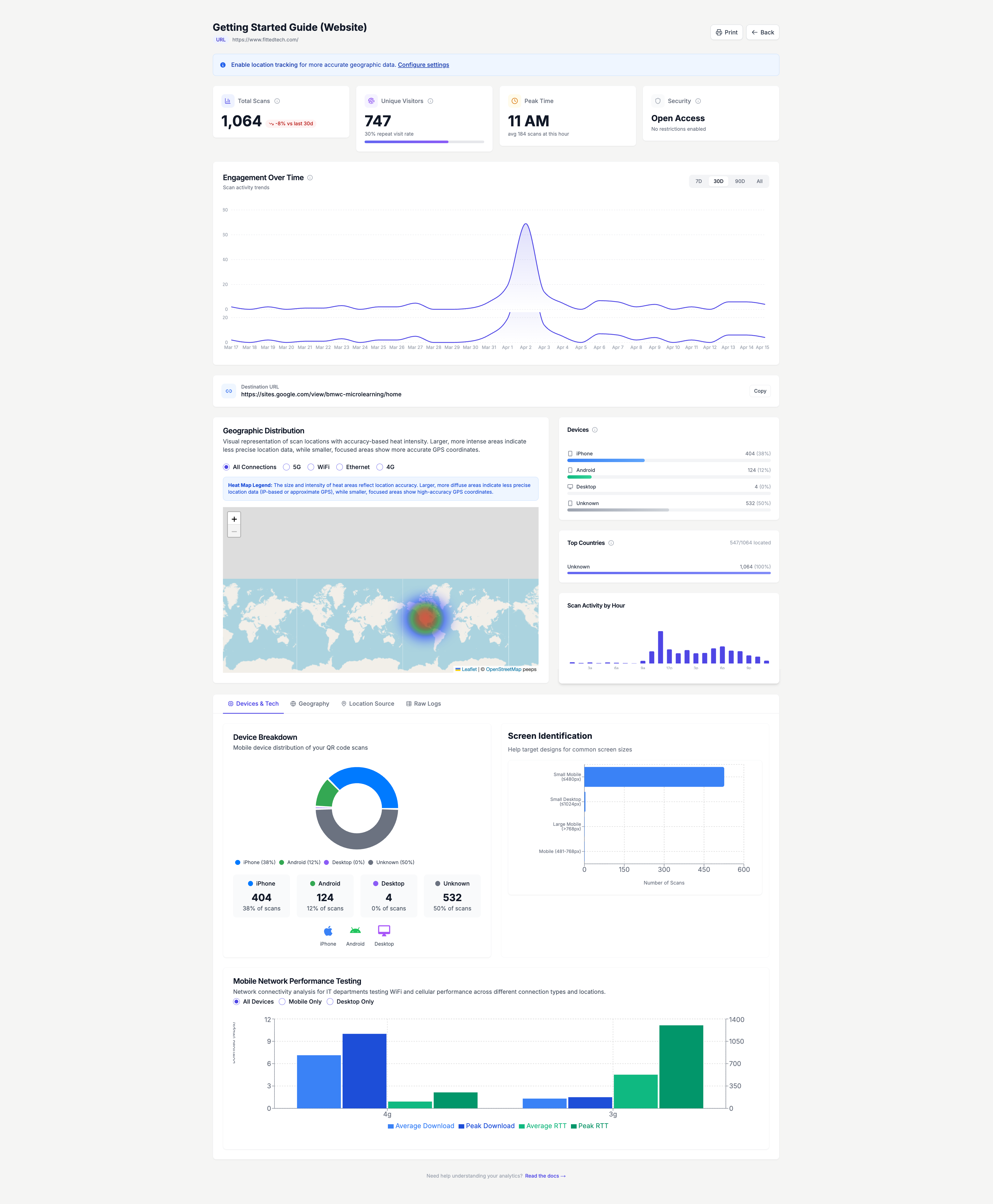
- Scan trend chart: A line graph showing daily scan volume over time. Toggle between 7-day, 30-day, and custom date ranges to spot trends.
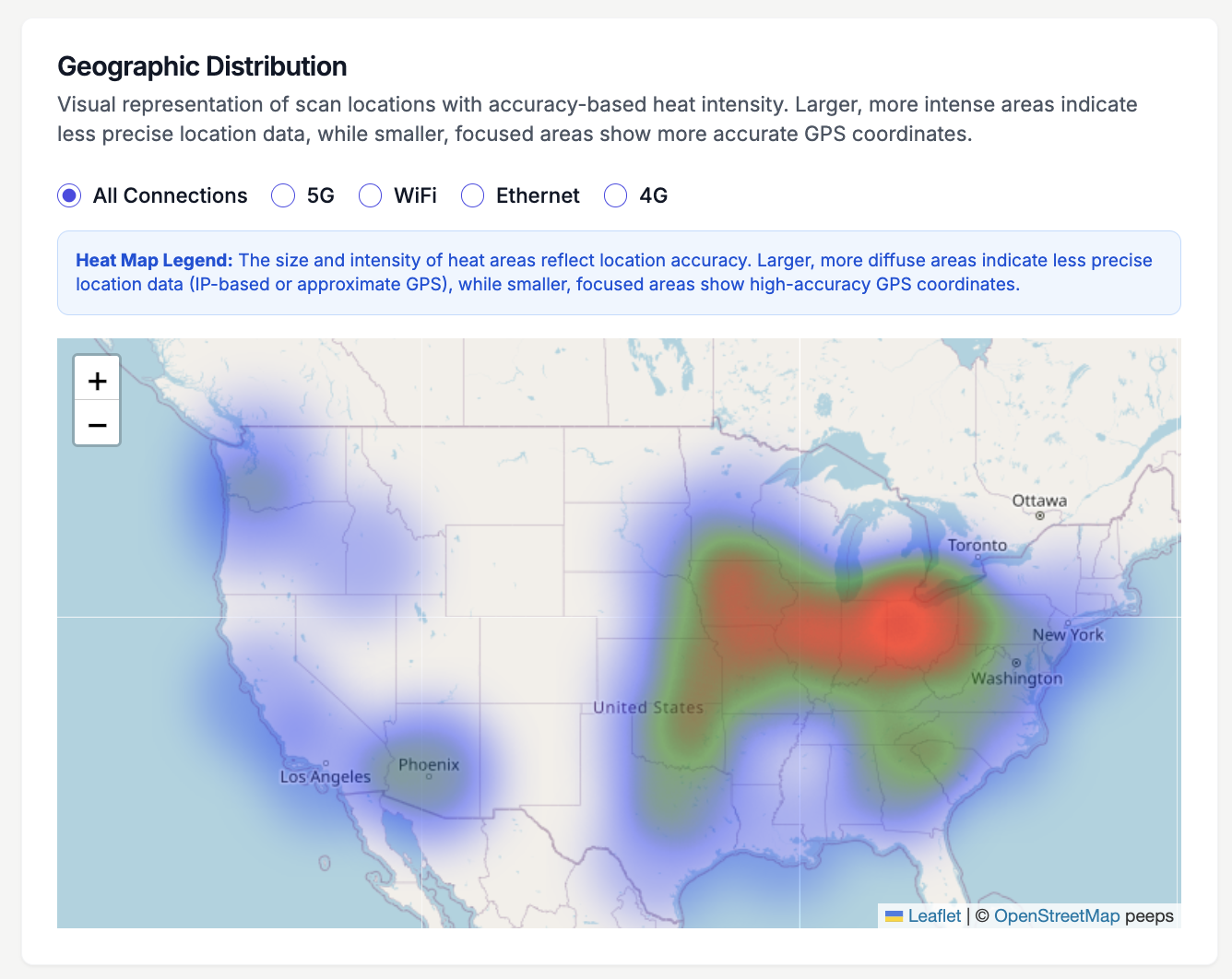
- Geographic breakdown: An interactive heat map showing scans by country and city. Use this to confirm your campaign is reaching the intended audience.
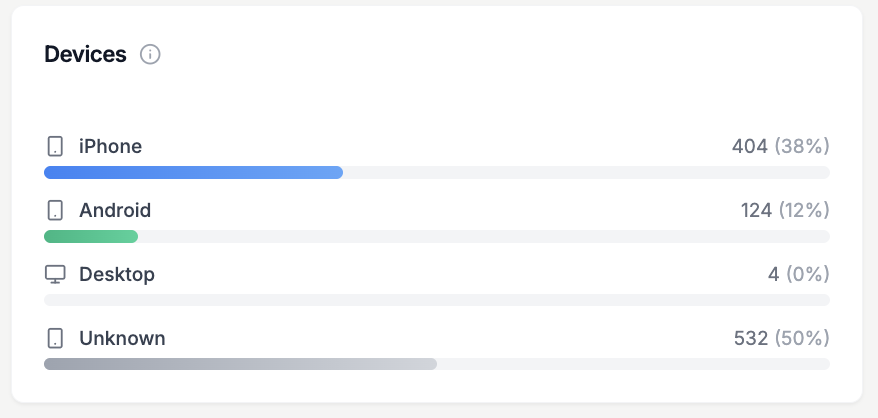
- Device & OS split: Charts showing the percentage of scans from mobile vs. desktop vs. tablet, and the operating system breakdown.
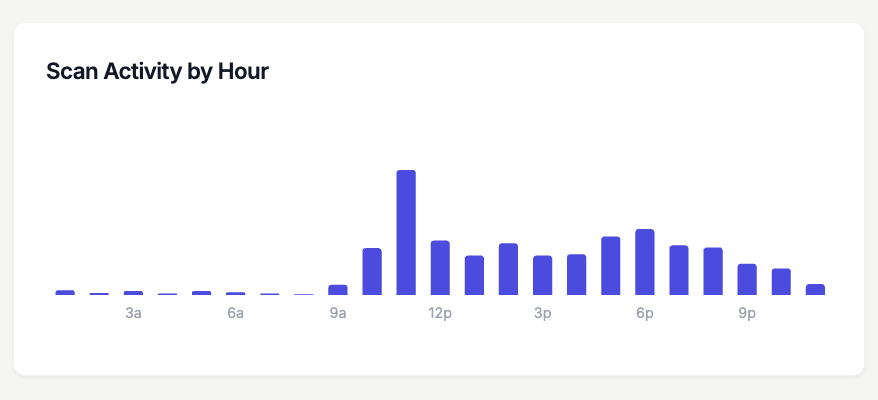
- Scan activity by hour: See when your QR codes are scanned most throughout the day.
- Browser distribution: See which browsers your audience uses so you can prioritize testing your destination pages accordingly.
Scan Logs
The scan logs tab provides a detailed audit trail of every scan. Each entry includes the device, browser, network type, IP address, location coordinates, and timestamp.
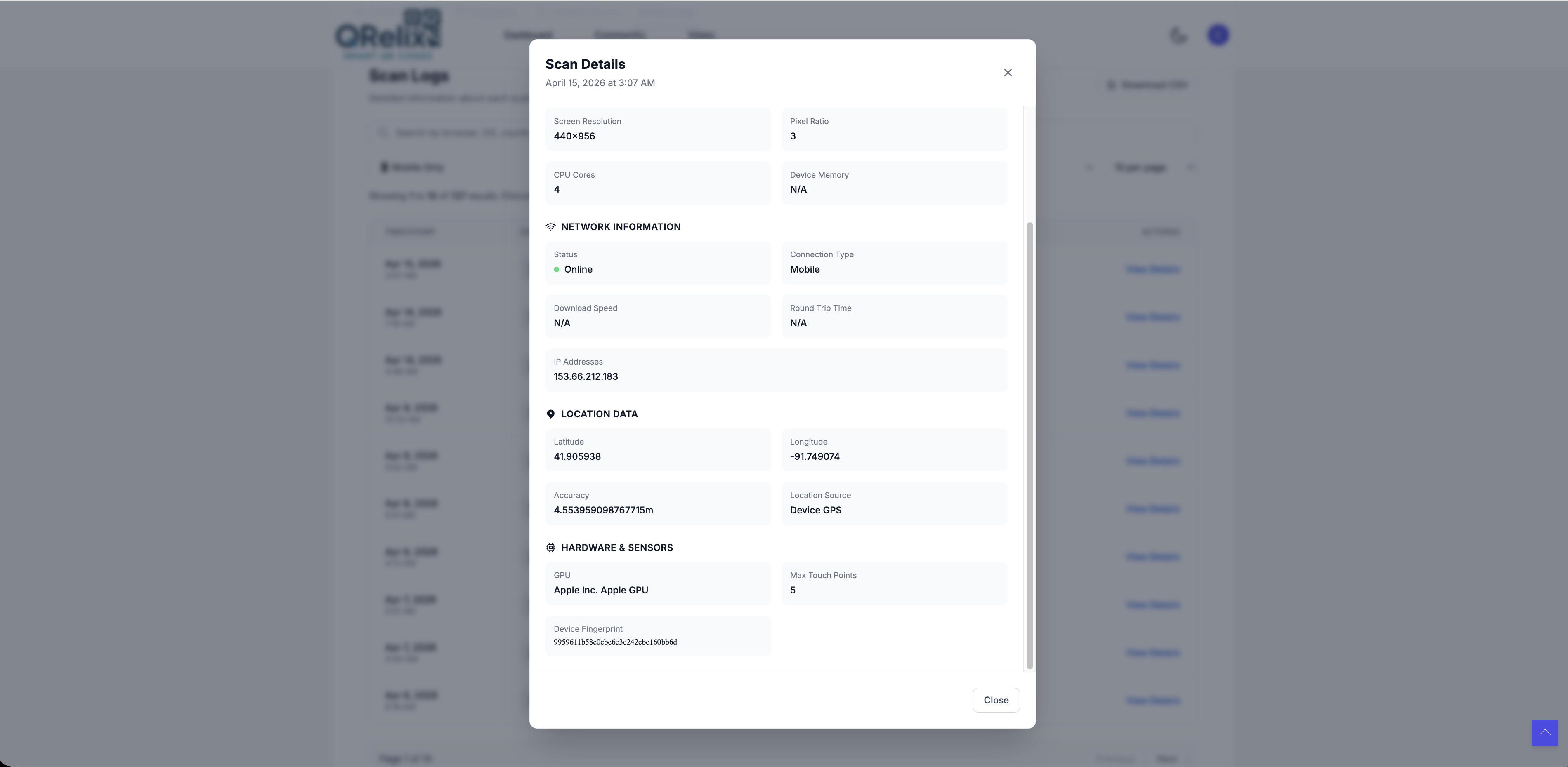
Click View Details on any scan entry to see the full breakdown including screen resolution, CPU cores, GPS coordinates, hardware sensors, and device fingerprint.
Putting Analytics to Use
Raw scan data is only useful if you act on it. Here are the most common ways QRelix customers use their analytics:
Campaign performance: Compare scan counts across codes to see which placements, designs, or calls to action generate the most engagement. If a poster in Location A gets 3x the scans of Location B, reallocate your print budget.
Geographic insights: Identify which regions engage most. If you're running a national campaign but 80% of scans come from two cities, your distribution strategy needs adjustment, or you've found your strongest markets.
Timing optimization: Find peak scan hours and days to time promotions, content updates, or landing page changes. A restaurant menu QR code that peaks at 11:30 AM tells you lunch traffic is your opportunity.
Device-driven decisions: If 90% of scans come from mobile, make sure your destination page is fast, responsive, and thumb-friendly. If you see meaningful desktop traffic, your audience might be scanning from laptop cameras in an office setting, so consider that context.
A/B testing: Create multiple QR codes with different destinations and compare results. Or use Round Robin URLs to rotate destinations automatically with a single code and let the data tell you which page converts better.
Combining Analytics with UTM Parameters
For full-funnel attribution in Google Analytics, append UTM parameters to your QR code destination:
https://yoursite.com/landing?utm_source=qr&utm_medium=print&utm_campaign=spring-mailer
This lets you track the QR code scan in QRelix and follow the user's journey through your site in Google Analytics. You get scan-level data from QRelix (where, when, what device) and conversion data from GA (bounce rate, time on page, purchases).
Use a unique UTM campaign name for each QR code placement so you can isolate performance by channel. For example, utm_campaign=spring-poster-downtown vs. utm_campaign=spring-poster-mall.
Exporting Data
Need to share scan data with your team or include it in a report? QRelix analytics can be viewed directly in the dashboard and used to inform your strategy in real time. For detailed reporting, reference the dashboard metrics alongside your Google Analytics data for a complete picture of scan-to-conversion performance.
Privacy & Compliance
QRelix takes a privacy-first approach to analytics:
- No PII: We do not store names, email addresses, phone numbers, or any personally identifiable information about scanners.
- No cookies: No tracking cookies are set on the scanner's device.
- Anonymized data: Location data is derived from IP addresses that are not stored after processing.
- GDPR-friendly: Aggregated, anonymized scan analytics do not fall under GDPR personal data requirements.
Next Steps
- Trackable QR Codes: Understand the full tracking capabilities built into every QRelix code
- Getting Started: Create your first QR code and see analytics in action
- Round Robin URLs: A/B test landing pages with built-in scan tracking
- Security & Access Controls: Set scan limits and expiration dates alongside your tracking