Real Estate QR Codes That Turn Signs Into Leads
Put dynamic QR codes on yard signs, flyers, and brochures that link to virtual tours, listing details, and your contact card. Track which properties generate the most interest.
How Real Estate Use QR Codes
Practical ways to integrate QR codes into your real estate workflow, each one trackable with real-time analytics.
Property Listing QR Codes
Place QR codes on for-sale signs that link directly to full listing details, photos, and pricing, updated in real-time as details change.
Virtual Tour Links
Link QR codes to Matterport, YouTube, or any virtual tour platform. Prospects scan the yard sign and walk through the property from their phone.
Agent Contact vCards
Generate QR codes that save your name, phone, email, and brokerage directly to the prospect's contacts with one scan.
Open House Sign-In
Replace paper sign-in sheets with a QR code that links to a digital form. Capture leads automatically and follow up faster.
Neighborhood Guide Links
Create QR codes for brochures that link to neighborhood info (schools, commute times, local amenities) giving buyers confidence.
Mortgage Pre-Qualification
Add QR codes to listing flyers that link directly to your preferred lender's pre-qualification form.
QR Code Types for Real Estate
QRelix supports 6+ QR code types. These are the most popular for real estate:
See every scan, in real time
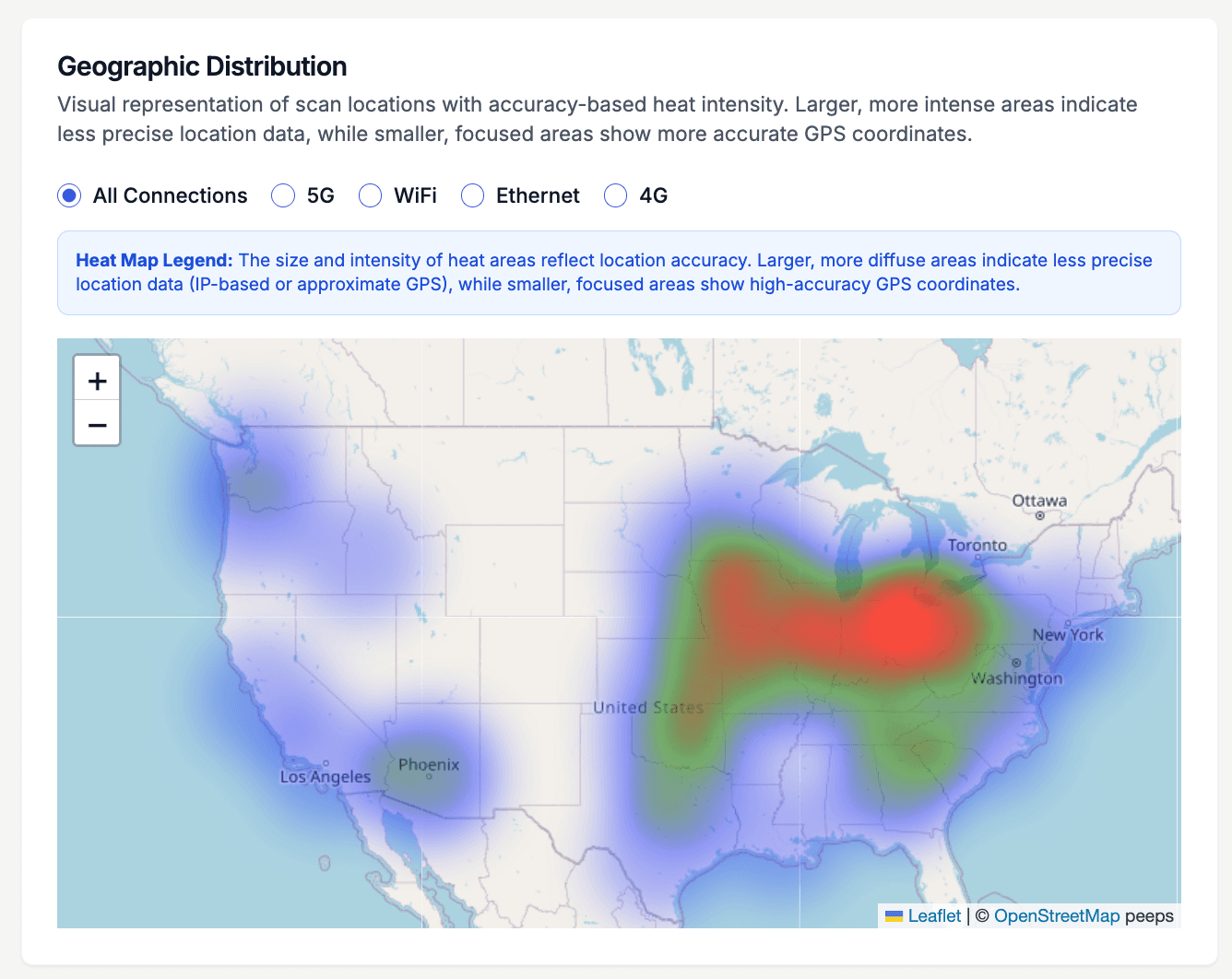
A yard sign gets scanned by whoever walks or drives past — the heat map tells you who that actually is. This view plots scan density for a listing code on a map of the United States, so you can see at a glance whether interest in a property is coming from the neighborhood, from across the metro, or from out-of-state relocation buyers. That changes how you market the listing: a home pulling scans from three states away deserves a stronger virtual tour, while purely local interest means the open house matters more.
How to put a trackable QR code on your next listing
- 1
Create a dynamic listing code
Go to /create-qr-code and choose the URL type, then link it to the listing page or virtual tour. Make it dynamic so the same code follows the property through price changes and can be repointed as marketing shifts — listing page first, open house details the week of the showing.
- 2
Brand it with your brokerage colors
Add your brokerage colors and your logo in the customization step, checking the live preview as you go. Buyers are warier of anonymous QR codes on street signage than they used to be, and a code that visibly matches the sign it sits on earns more scans.
- 3
Print sign riders, flyers, and cards
Download the 300 DPI SVG for yard sign riders — vector output scales cleanly to any sign size — and the PNG for listing flyers and business cards. On the sign, place the code at adult eye level against a plain white background, sized large enough to scan from the sidewalk.
- 4
Watch where the interest comes from
Open the dashboard and watch scans arrive in real time. The heat map shows whether buyers are local or relocating, the hourly chart shows when drive-by traffic peaks, and individual scan logs record device and location detail. Bring those numbers to your seller updates — scan data is concrete proof of marketing activity.
“I put QRelix QR codes on every yard sign. I can see exactly how many people scan each listing and follow up with the right prospects.”
QRelix user · Real estate industry
Frequently Asked Questions
How do I add a QR code to my real estate yard sign?
Create a dynamic QR code in QRelix linking to your property listing. Download it as a 300 DPI SVG file. This format scales perfectly for any sign size without losing quality, and your sign printer can use the SVG directly.
Can I reuse the same QR code for a new listing?
Absolutely. With dynamic QR codes, update the destination URL to point to your new listing. The same printed sign or flyer now links to different content, no reprinting needed.
How do I track which properties get the most interest?
QRelix analytics show exactly how many people scan each QR code, when they scan, and from what location. Compare scan data across listings to identify your hottest properties.
How large should a QR code be on a yard sign rider?
Size it for scanning distance: a rough rule is that a code should be about one-tenth as wide as the distance it will be scanned from, so a code meant to work from 10 feet needs to be around 12 inches wide. For a rider scanned from the sidewalk, 4 to 6 inches usually works. Download the SVG from QRelix — it scales to any sign size without losing sharpness.
Can I restrict a QR code so only serious buyers see certain documents?
Yes. Dynamic QRelix codes support password protection, so you can put a code for the disclosure packet or inspection report on your flyers and share the password only with qualified buyers or their agents. You can also set a code to expire on a specific date or after a set number of scans — useful for retiring an offer-deadline packet automatically once the window closes.
Do buyers need an internet connection to save my contact card from a QR code?
Not if you use a static vCard code. A static vCard embeds your name, phone, and email directly in the code itself, so a buyer's phone can read and save it with no connection — useful at open houses in dead zones. QRelix's free vCard tool generates one in the browser with no signup. The tradeoff: a static card can't be edited later, so use a dynamic code when your details may change.
Real Estate guides & tutorials
- QR Codes for Real Estate: How Agents Are Closing Deals Faster with Dynamic QR Technology
- QR Code Lead Capture: Turn Every Scan Into a Real Lead (Free 2026 Setup)
- Elevate Your Business Card: How to Create QR Code with Tracking for Impact
- Security and Access Controls
Try the free tools real estate use most
Ready to Create QR Codes for Your Real Estate?
Free, no credit card. Create dynamic, trackable QR codes in seconds. Upgrade to Pro to remove the QRelix-branded redirect shown on free scans and unlock unlimited scans.
Create QR Code Free