Get Started
Create, manage, and track your QR codes in three simple steps.
- Home
- Get Started
Three steps to your first QR code
Get started with QRelix in minutes
Whether you need one QR code for a menu or dozens for a campaign, QRelix gives you one place to create, organize, and measure. No design or technical experience required.
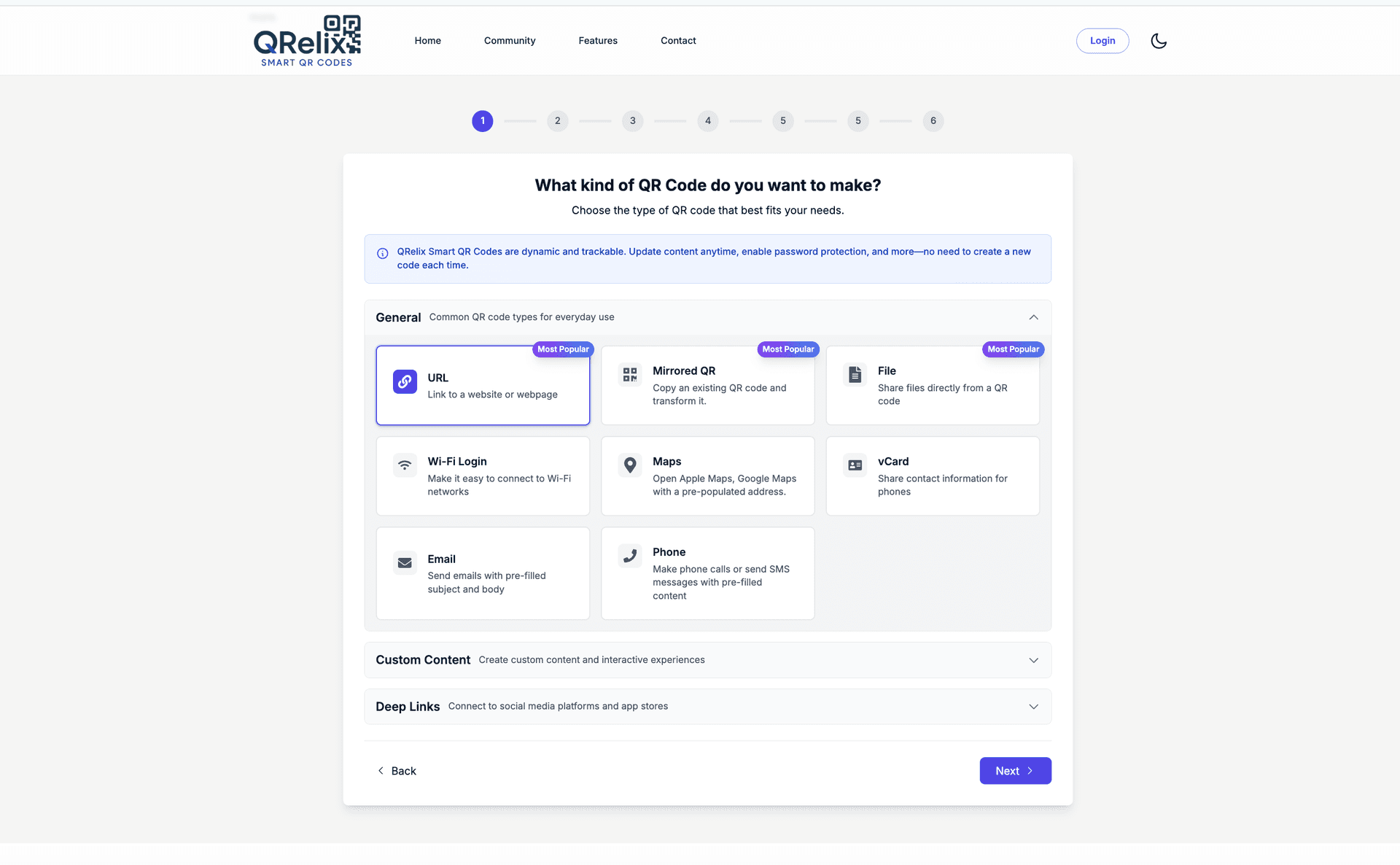
Create your QR code
Choose what your QR code does: link to a URL, WiFi credentials, a vCard, email, SMS, or one of 15+ other types. Add your logo and colors so it matches your brand, then download in print-ready 300 DPI SVG, perfect for signs, packaging, and business cards.
- 15+ QR types: URL, WiFi, vCard, email, and more
- Custom colors and logo for consistent branding
- 300 DPI SVG download for professional printing
Manage and organize your QR codes
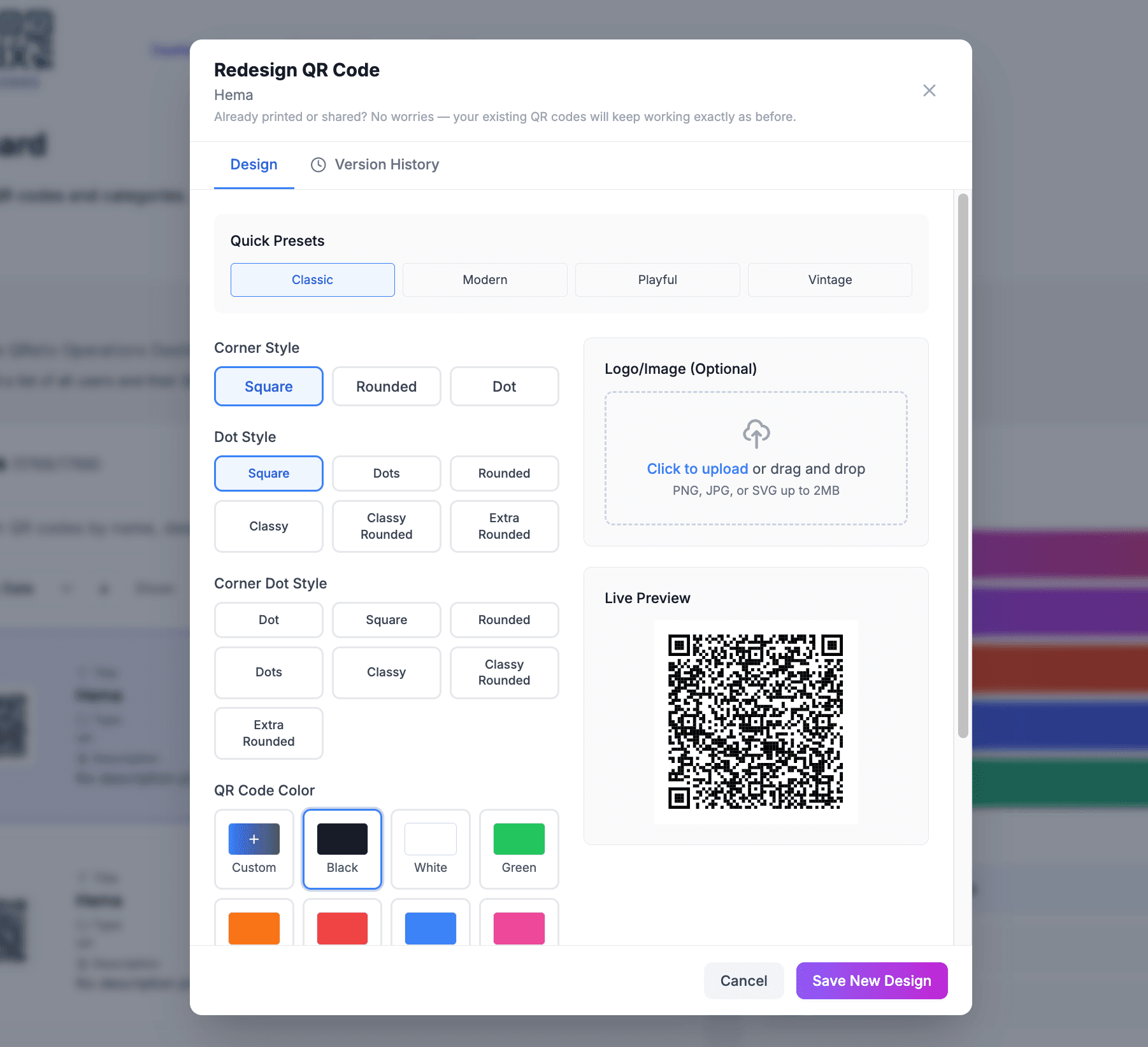
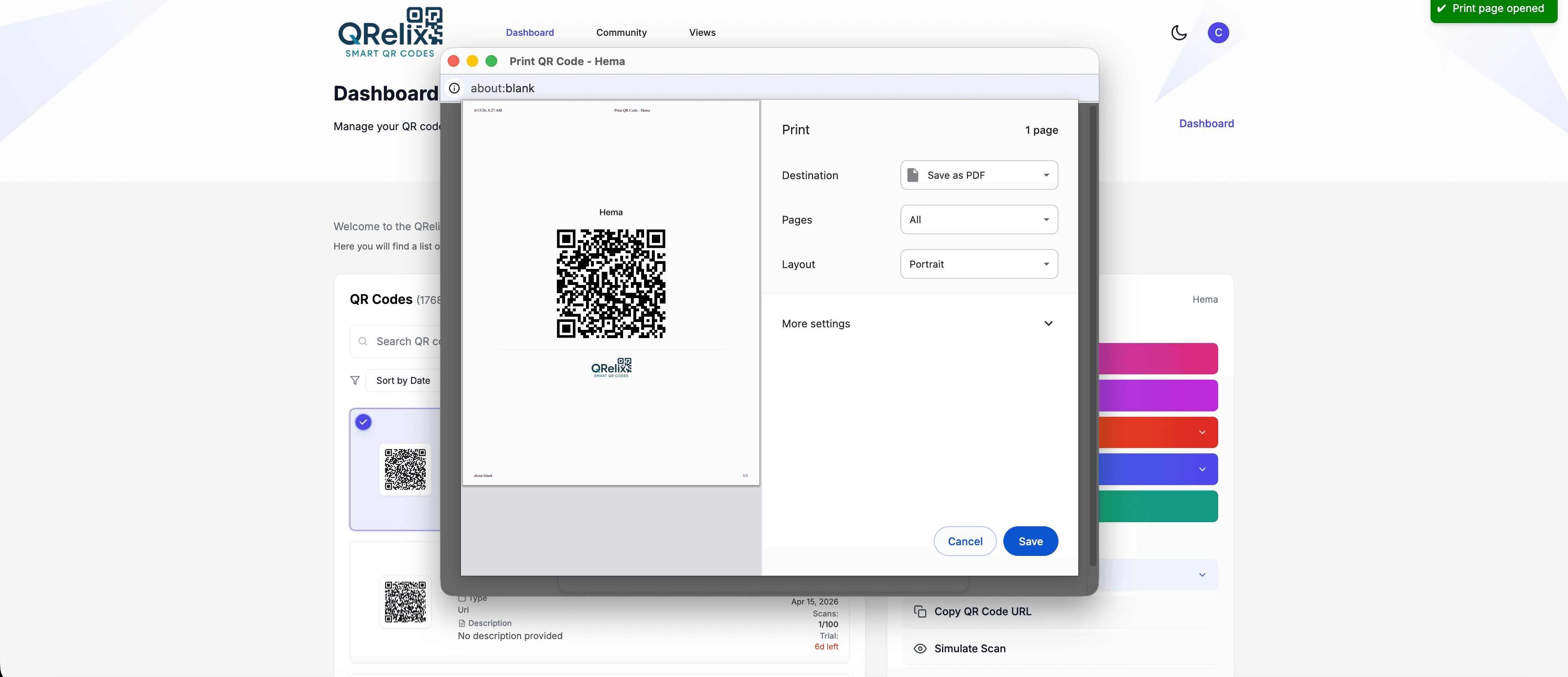
All your QR codes live in one dashboard. Update the destination of any code anytime, no reprinting. Duplicate codes for A/B tests or regional campaigns, and use names and notes so you can find anything quickly.
- Single dashboard for all your QR codes
- Edit destinations anytime without changing the printed code
- Organize QR Codes by categories and tags
- Print-ready download links for signs, packaging, and business cards

Sit back, track and analyze patterns
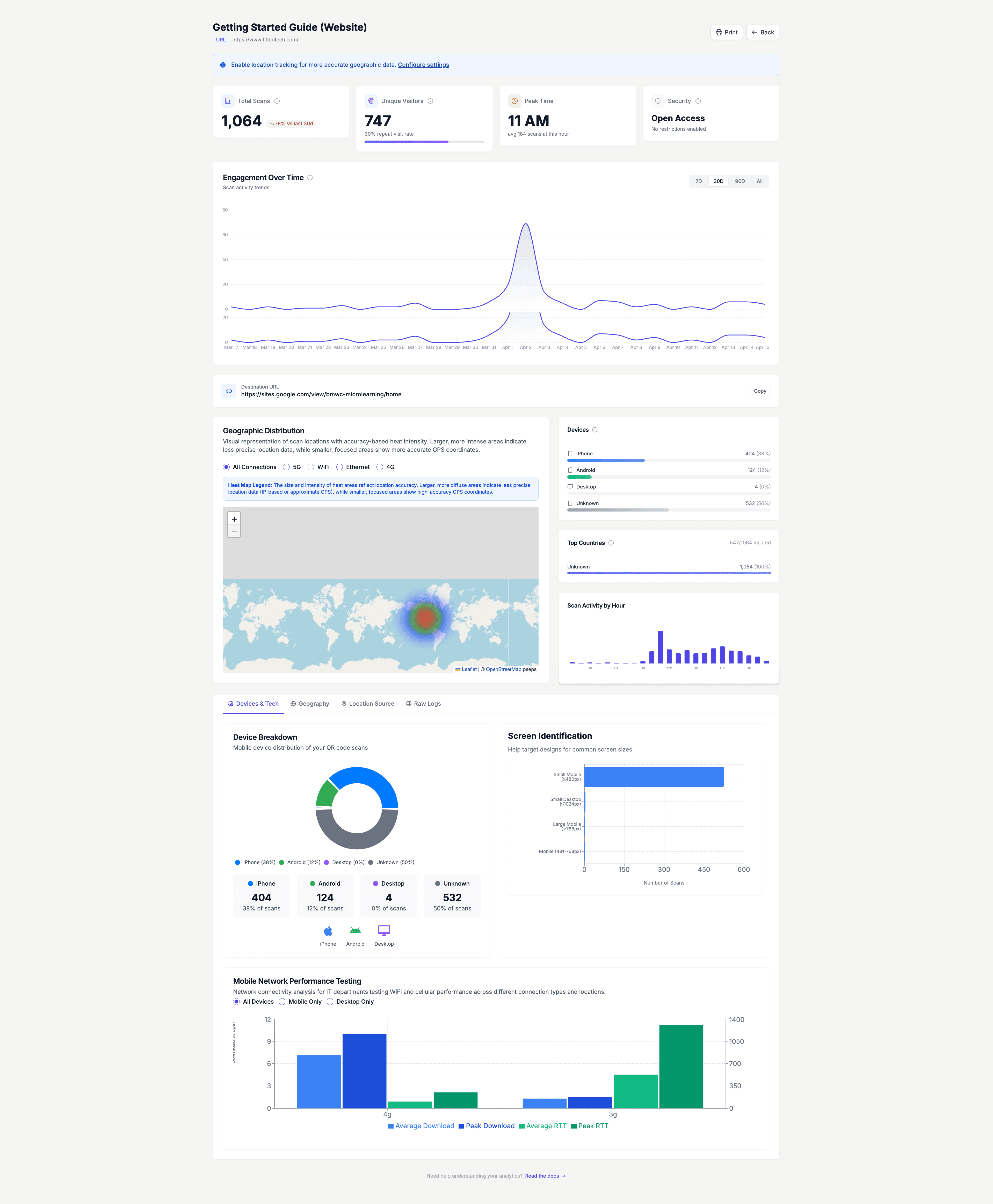
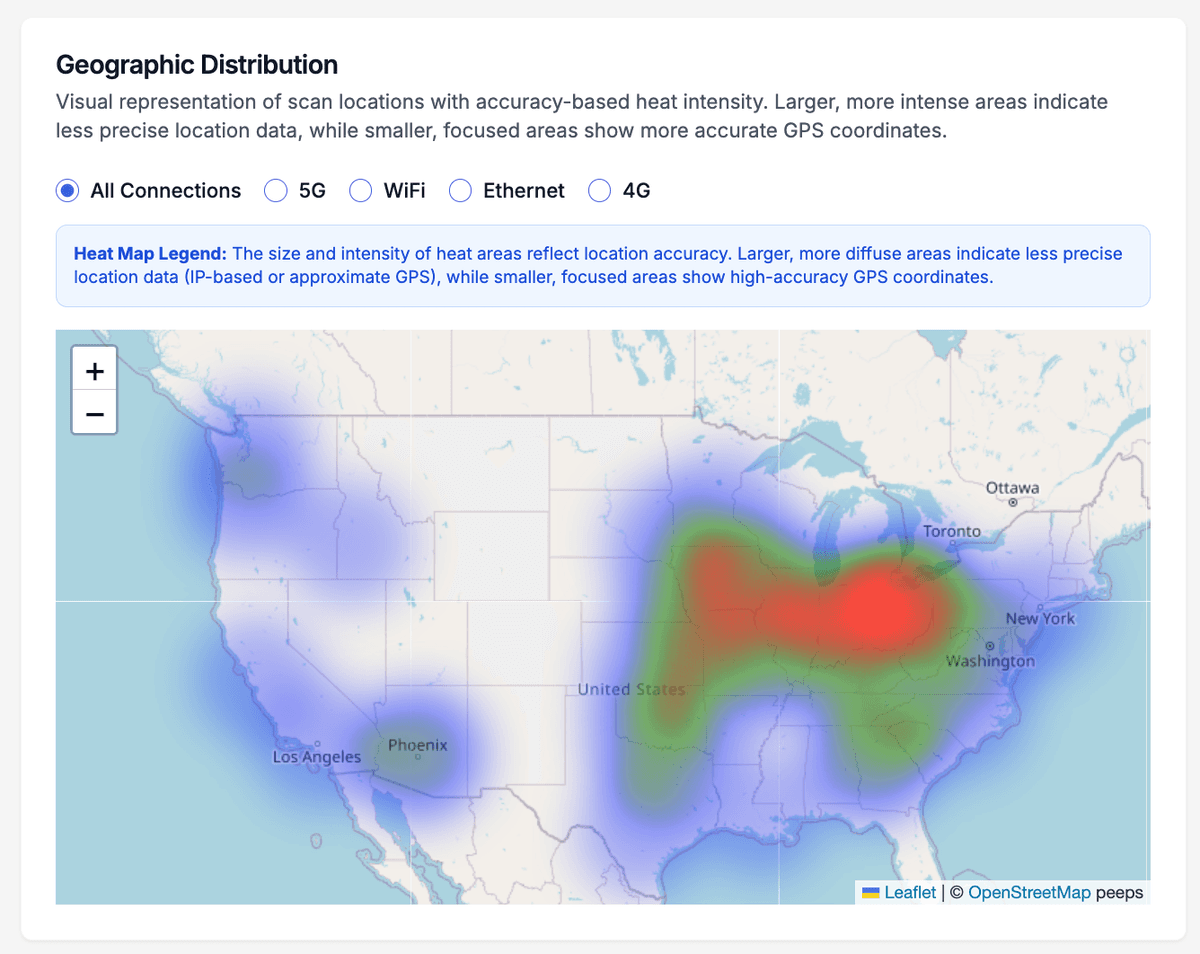
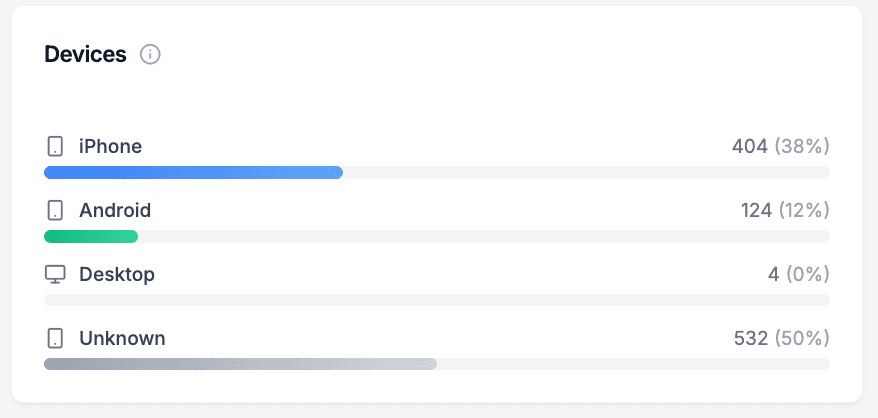
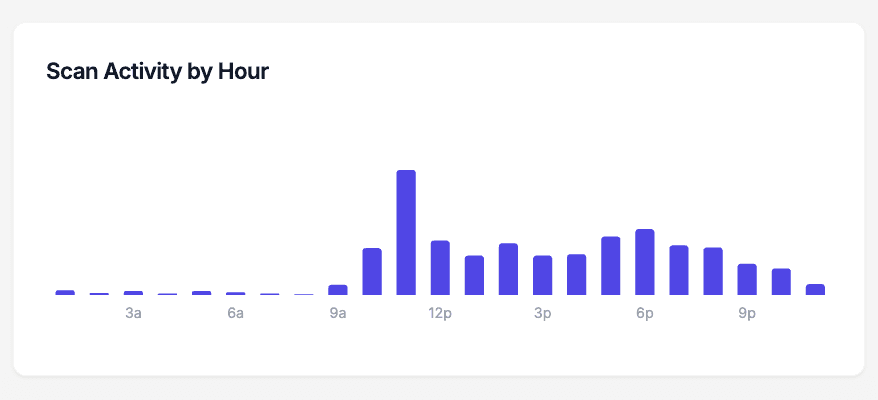
Every scan is recorded. See real-time counts, where scans happen, which devices and browsers are used, and when traffic spikes. Use the access log for a full audit trail, ideal for compliance or understanding how your audience engages.
- Real-time scan counts and trends
- Location, device, and browser insights
- Access log for full scan history and auditing
Ready to get started?
Create your first QR code in under a minute. No credit card required. Start free and upgrade when you need more.